2026 Best Telecom Fibre Cable Types for Global Buyers
In 2026, choosing telecom fibre cable is less about finding one “best” product and more about matching construction to route, capacity, and installation conditions. Single-mode cable supports long-distance links and high-capacity networks, while multimode is often used for shorter connections within buildings or campuses. For outdoor routes, buyers may compare duct-rated, direct-buried, armored, and aerial designs. ADSS cable suits many pole routes, while OPGW combines optical fibres with overhead power-line infrastructure. Each option solves a different problem.
Small details matter. Check fibre count, attenuation, bend radius, sheath material, water blocking, and compatibility with splice closures and connectors. A cable that performs well in a protected cabinet may not withstand a wet duct, rocky trench, or exposed pole span. Ask suppliers for traceable test results, relevant standards documentation, and clear warranty terms. Compare the full installed cost, not just the price per kilometre. Installation time and repair access can change the calculation. Not always.
This guide examines common telecom fibre cable types for global buyers, explaining where each design fits and what trade-offs deserve attention. Climate, route ownership, local installation practices, and maintenance capability all influence the choice. Specifications help, but they do not replace careful review of the actual route. One limitation is easy to overlook: project assumptions can change after surveys. Confirm critical details with qualified network designers and suppliers before placing an order. A little uncertainty remains. That is a reason to verify, not to guess.
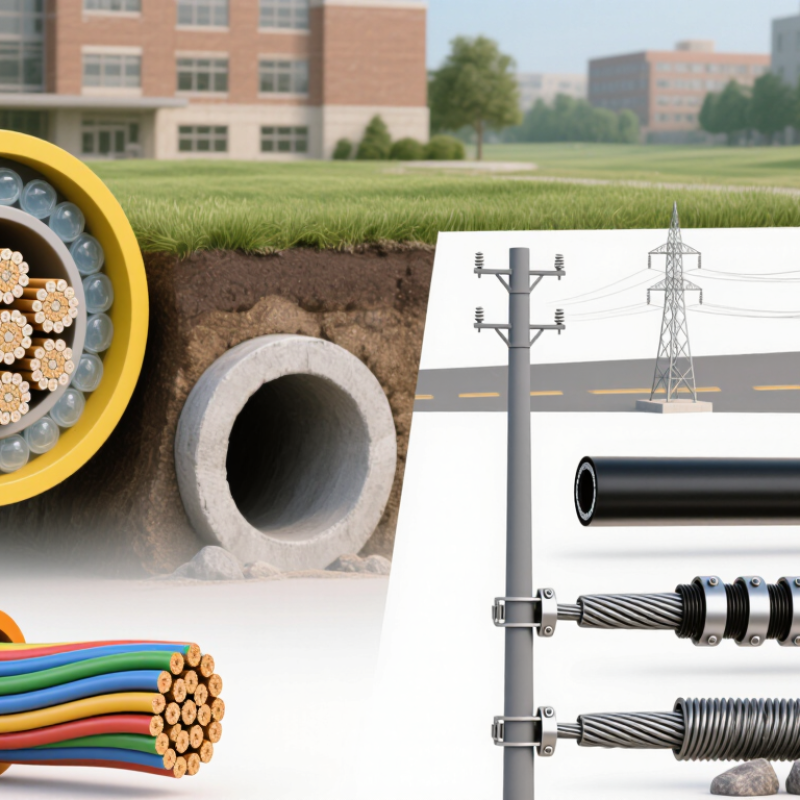
Telecom Fibre Cable Basics: Structure, Modes, and Performance
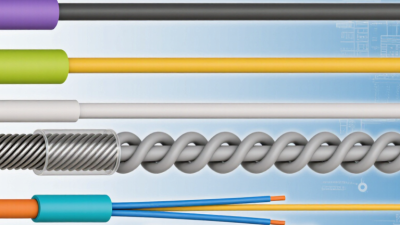
Telecom fibre cable carries light through a glass core surrounded by lower-refractive-index cladding. A thin coating protects each fibre from scratches and moisture. Strength members help resist pulling forces, while the outer jacket shields the cable from its environment. The details matter. A tight bend can increase signal loss, even when the cable looks undamaged.
Single-mode fibre has a narrow core and is commonly used for long-distance links. Multimode fibre has a wider core and is often suited to shorter connections within buildings or campuses. These categories are not interchangeable by default. Buyers should check the required wavelength, transmission distance, connector type, and equipment specifications before choosing. Small mismatches can cause avoidable installation problems.
Performance depends on more than fibre mode. Attenuation, splice quality, connector cleanliness, and bend radius all affect the signal reaching the receiver. Outdoor routes also need jackets rated for the site’s moisture, temperature, and installation method. Cable specifications are useful, but they do not guarantee real-world results. This tidy comparison has limits: route conditions and workmanship can change the outcome. A little extra planning helps.
How Cable Design Affects Speed, Distance, and Reliability
Cable design determines how much signal reaches the receiver—and how consistently it gets there. Single-mode fibre suits long routes because its small core limits modal dispersion. Multimode fibre can be practical for shorter building links, but its reach depends on fibre grade and transceiver. IEEE 802.3 specifies up to 400 metres for 10GBASE-SR over OM4 fibre. That figure is a useful benchmark, not a promise for every installed link.
Attenuation matters too. ITU-T Recommendation G.652 sets a maximum attenuation coefficient of 0.30 dB/km at 1550 nm for G.652.D fibre. Yet cable performance also depends on connector loss, splices, bends, and installation quality. A tight bend behind a cabinet can undermine an otherwise sound design. Jacket choice, moisture protection, and mechanical strength also affect reliability outdoors. A tempting shortcut is choosing the lowest-loss cable alone; it may miss the real constraint, such as connector quality or route conditions.
Tips: Match fibre type and transceivers to the required distance and data rate. Check the complete link budget, including connectors and splices. Leave room for future capacity, but avoid paying for reach the route does not need. Verify bend radius during installation; it is easy to overlook.
Choosing Fibre Cables for Different Network Environments
Choosing fibre cable starts with the route, not the catalogue.
Indoor risers need suitable fire performance and manageable handling; tight-buffered designs are often practical for short building runs. For links between buildings, outdoor loose-tube cable can help protect fibres from moisture and temperature changes. Aerial routes may require self-supporting construction, while direct-buried paths need appropriate armour or duct protection.
No type works best everywhere. Small details matter.
Match fibre mode to distance, data rate, and equipment optics. OS2 single-mode fibre is commonly used for longer links; OM4 multimode fibre often suits shorter, high-capacity building connections. Check connector types and the cable’s minimum bend radius before installation. A cable that fits a trench may still be unsuitable for a tight cabinet or exposed route. For wet or dusty conditions, review water-blocking and end-sealing details.
Dust is costly.
Request product specifications and confirm operating temperatures, reel lengths, and relevant fire requirements. Even careful plans can miss a change in the route, so verify site conditions before ordering.
Global Buyer Checklist: Standards, Compatibility, and Supply Needs
2026 Best Telecom Fibre Cable Types for Global Buyers
Global buyers should match cable construction to the route, installation method, and local project specification. Check applicable IEC 60794 requirements and relevant ITU-T fibre recommendations, such as G.652 or G.657. Confirm the exact edition and performance class with the project engineer; a standard name alone does not prove suitability. Keep the specification and test criteria in writing.
Compatibility is practical, not just optical. Verify fibre type, connector interface, splice method, operating wavelength, and link budget across the full system. For a tight indoor riser, flame performance and bend radius may be critical. A buried route may need moisture protection, armouring, and suitable duct dimensions. Small details matter. Check reel lengths and pulling limits before installation, especially where access is restricted.
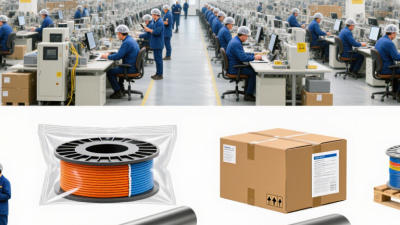
Supply planning deserves equal attention. Request product data sheets, factory test results, batch traceability, and clear packaging details. Confirm delivery quantities, reel sizes, export documents, and replacement availability against the build schedule. Ask how changes in construction or material are communicated. One checklist can still miss a site-specific constraint; review it with the installer before ordering. That can be costly.